Installation
Circhart is a standalone desktop software designed to run on Windows, Linux and MacOS.
Circhart download: https://github.com/lmdu/circhart/releases
中国镜像下载地址: https://big.cdu.edu.cn/software/circhart
On Windows
Go to https://github.com/lmdu/circhart/releases page, click on Circhart-vx.x.x-win-x64.exe to download it. Then double click the downloaded installer to install the program following the on-screen instructions.
On Linux
Go to https://github.com/lmdu/circhart/releases page, click on
Circhart-vx.x.x-linux-x64.AppImageto download it. You can double click the .AppImage file to run it.Or, you can run it in terminal like this:
chmod +x Circhart-vx.x.x-linux-x64.AppImage
./Circhart-vx.x.x-linux-x64.AppImage
On MacOS
Go to https://github.com/lmdu/circhart/releases page. For intel CPU, you should click on
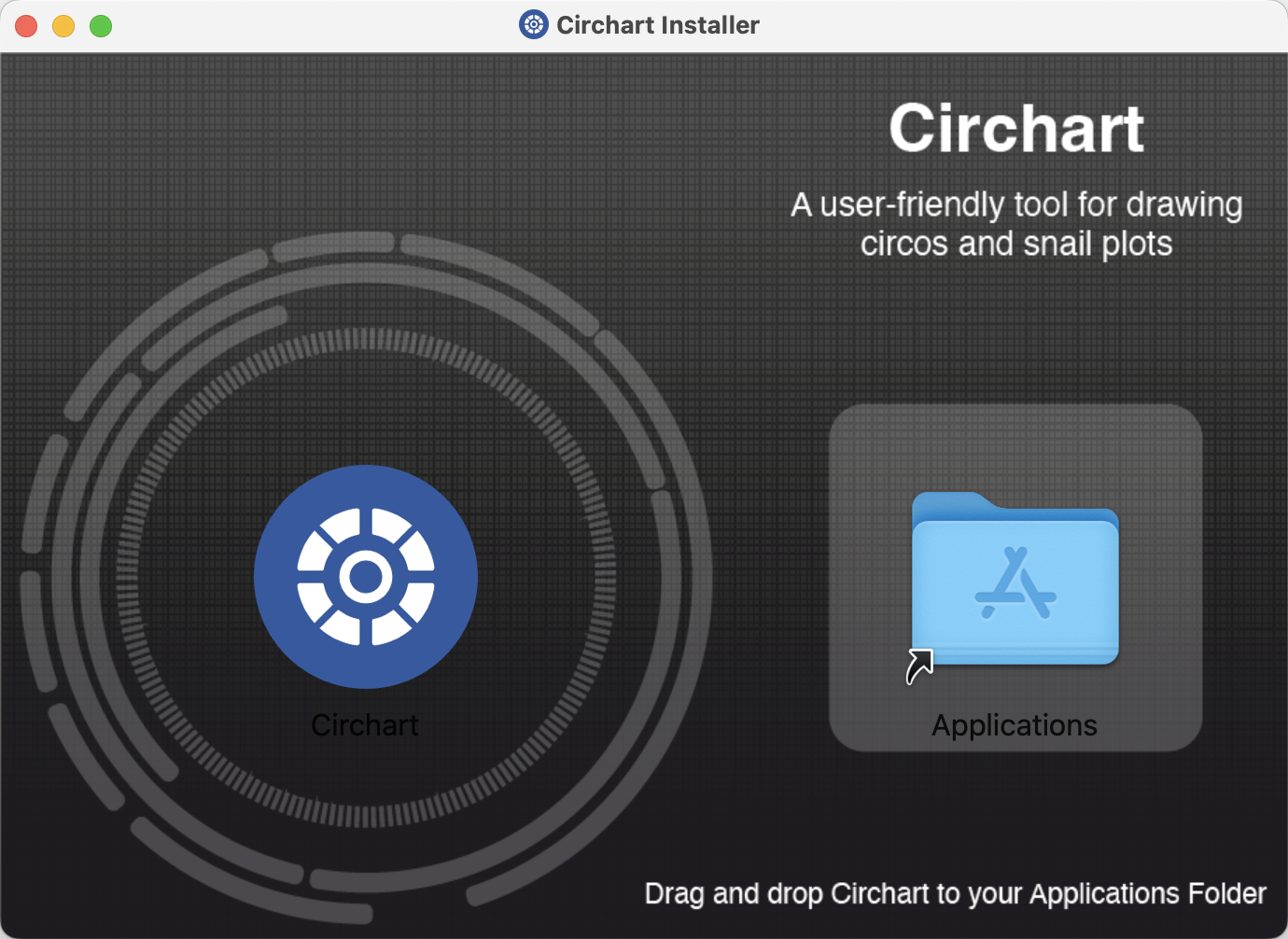
Circhart-vx.x.x-macos-x64.dmgto download it. For Apple M-series CPU, you should click onCirchart-vx.x.x-macos-arm64.dmgto download itDouble click the downloaded dmg file, and then drag circhart to your application folder to install.
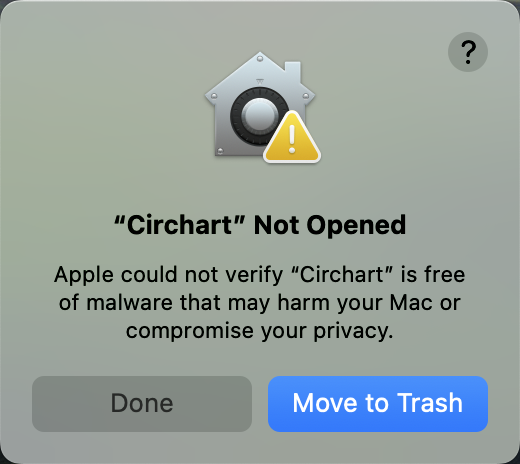
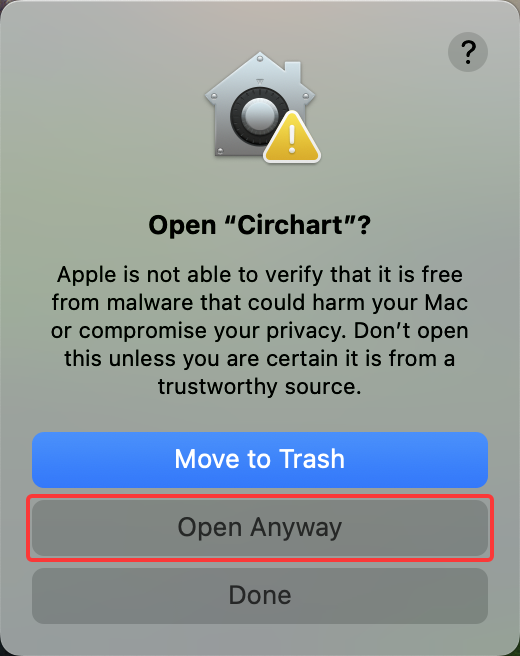
When you run Circhart for the first time, you will see a prompt dialog, click the Done button.
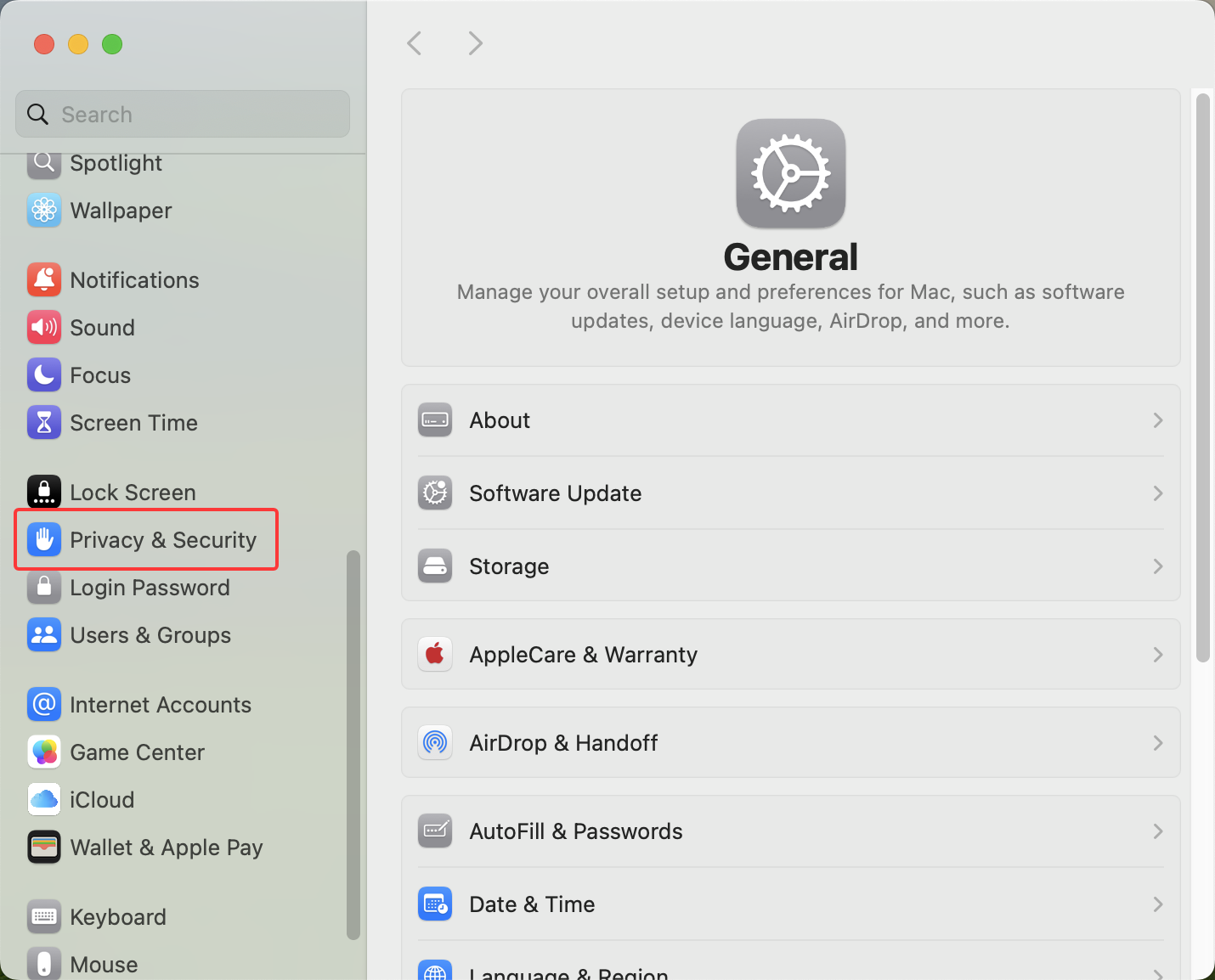
To allow Circhart to run on your Mac, go to System Settings > Privacy & Security.
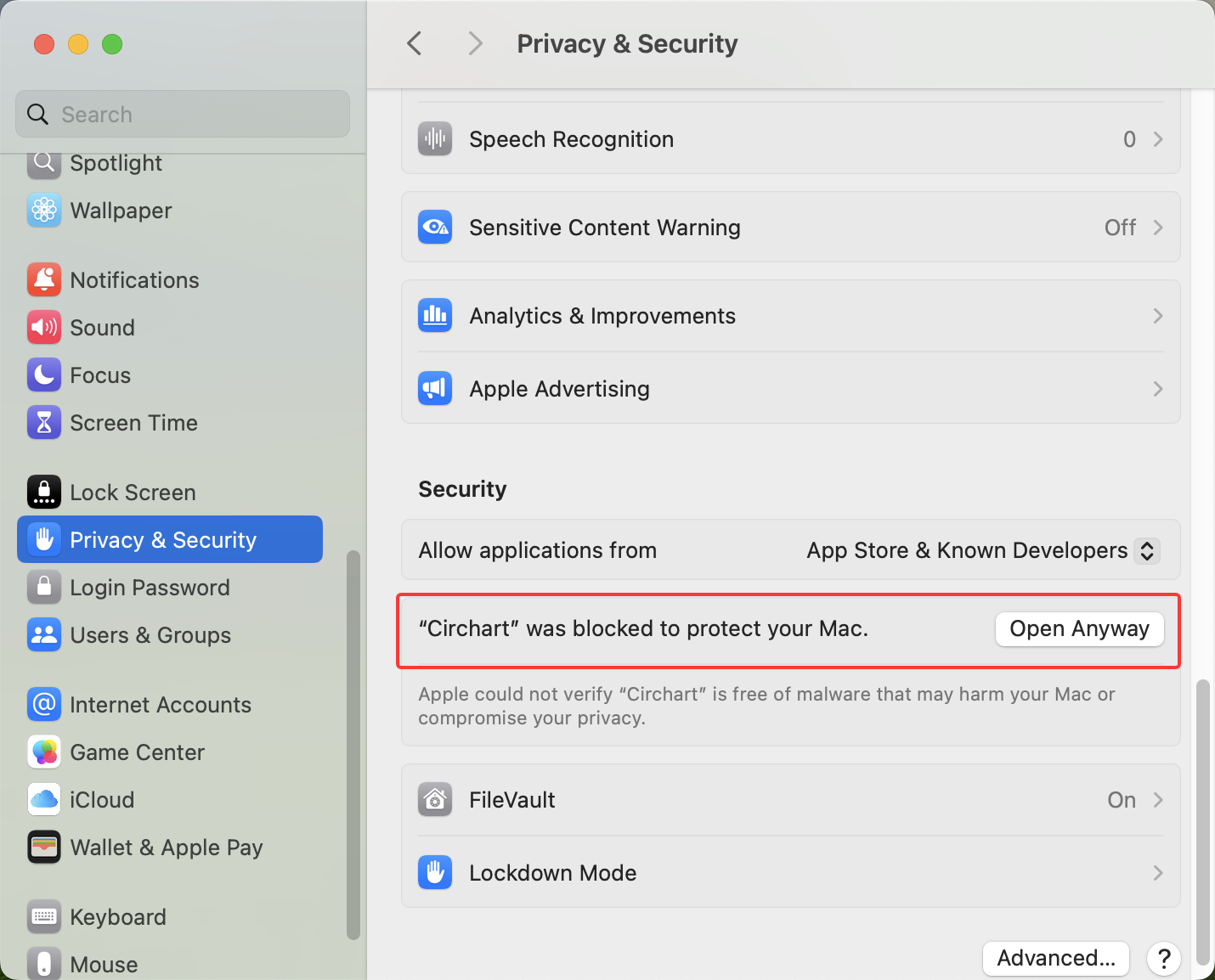
Scroll to Security section, you will see “Circhart” was blocked to protect you Mac. Click Open Anyway.
Then, you will see a prompt dialog, click the Open Anyway button.
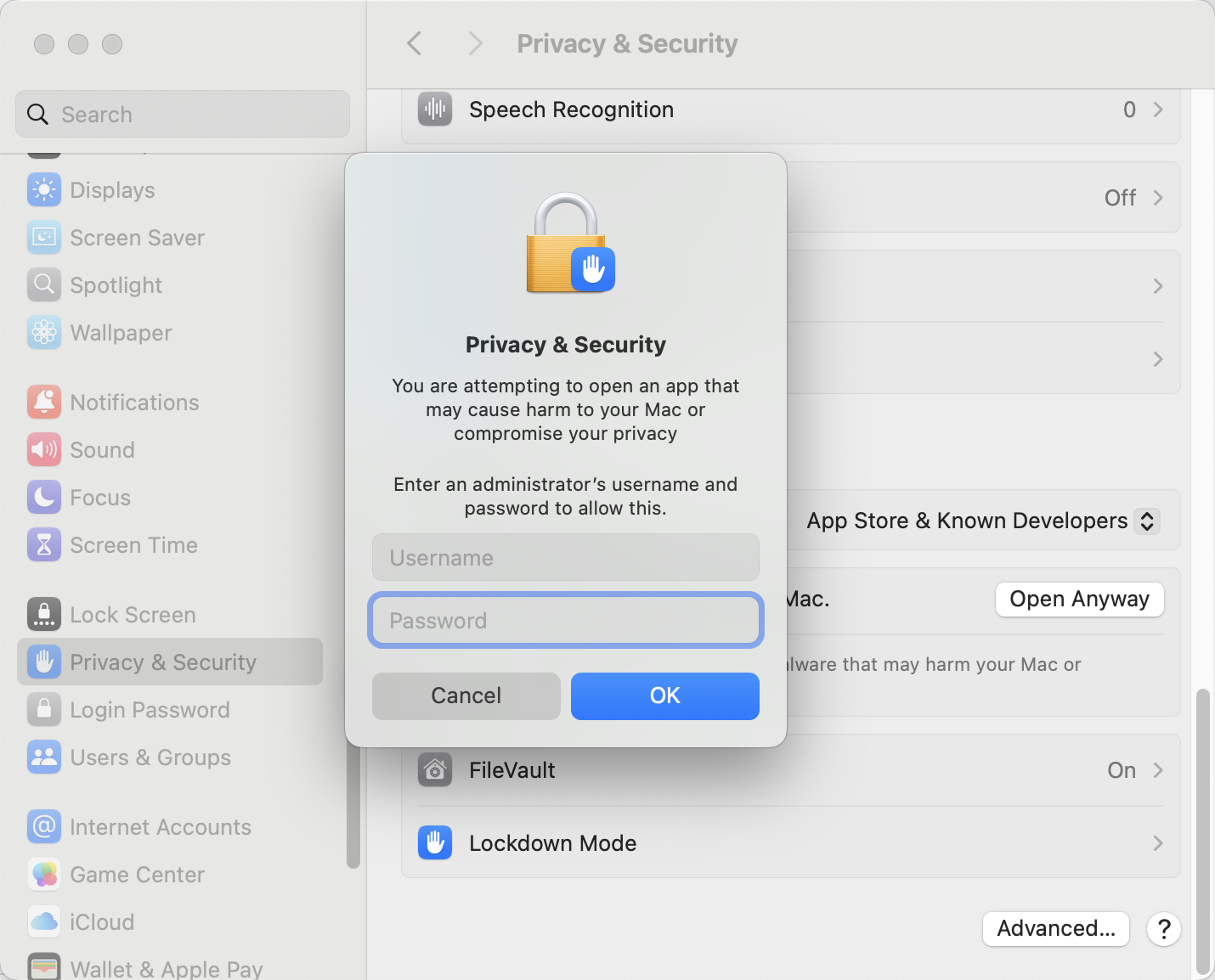
Finally, you will be prompted to enter your password. The Circhart will be run successfully.
Circos dependencies
If you draw circos plots on Linux and MacOS, you must install missing perl modules needed by circos.
Note
On Windows, circos can run without any dependency, just ignore this step.
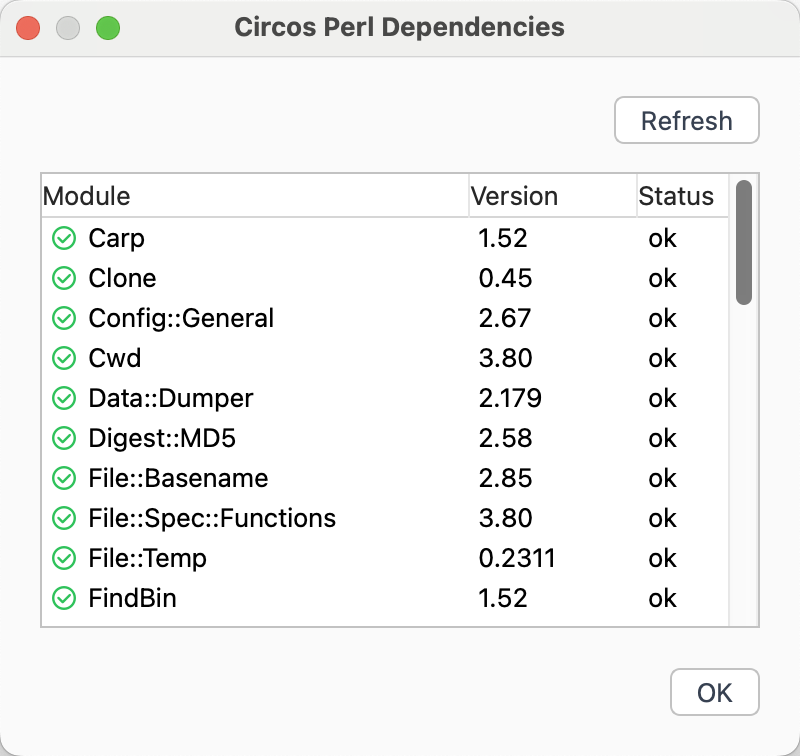
Go to Tools menu, click Check Circos Dependencies to open a dialog, where you can see the missing perl modules.
You can view the cpan documentation for finding How to install CPAN modules.
First, install
cpanmto make installing other modules easier. Open the Linux or MacOS terminal and type the command:cpan App::cpanminusNow you can install the missing modules using command
cpanm, for example:cpanm Config::GeneralWhen module successfully installed, you can click the Refresh button on dialog to view module status.
When status of all Perl modules displays ok, you can run Circhart to draw circos plots.