Overview
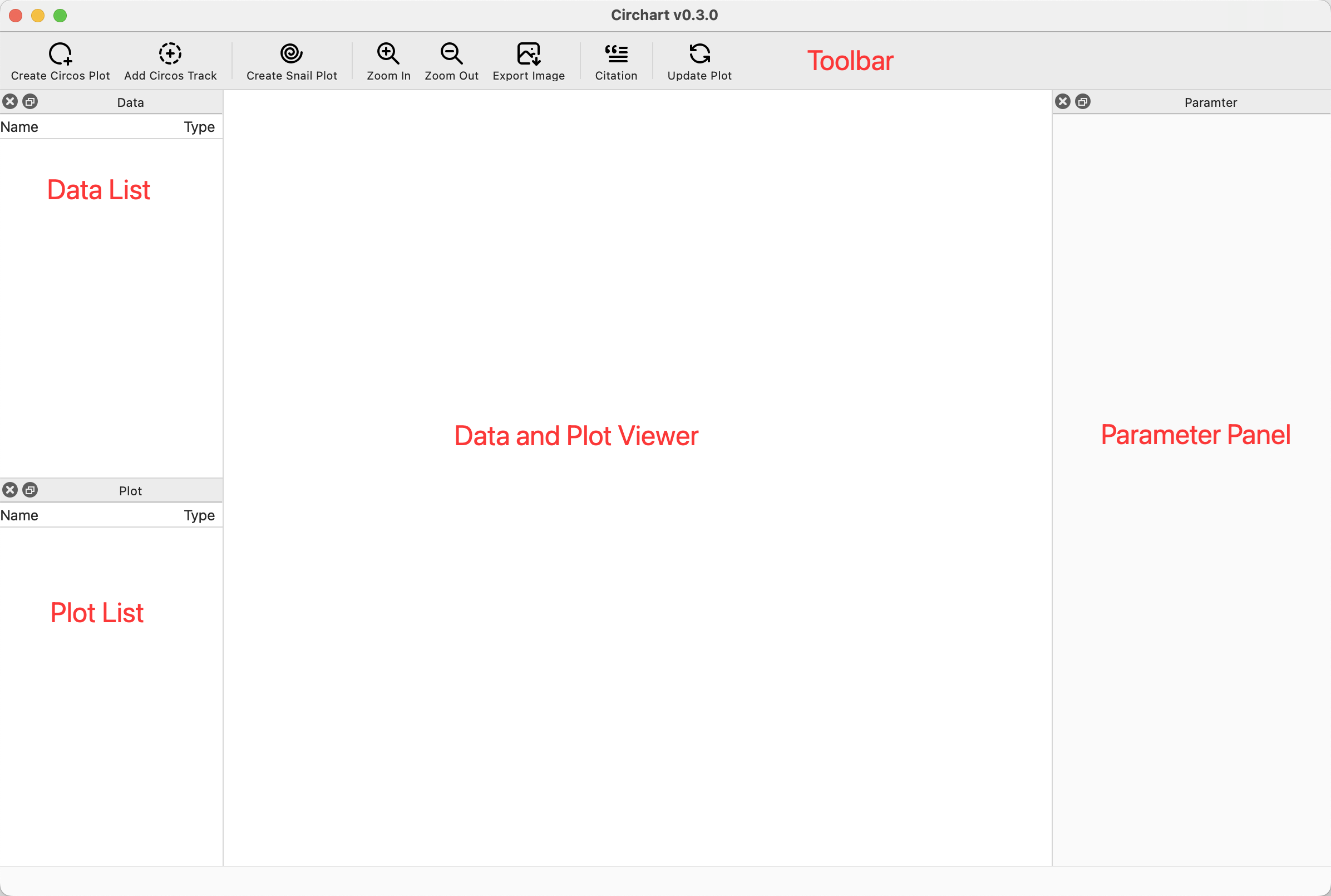
The graphical user interface of circhart
Toolbar
Icon |
Function |
|---|---|
|
open circos plot creation dialog |
|
add circos plot track |
|
open snail plot creation dialog |
|
zoom in plot |
|
zoom out plot |
|
save plot to image file |
|
view the tool citations |
|
redraw the circos or snail plot |


Data List
The name and type of imported or prepared data will be displayed in Data List.
You can click data name to view the data contents.
You can change the data name using right click menu Rename.
You can delete the data from list using right click menu Delete.
For data imported from file, you can change the file path of data using right click menu Change Path.
Plot List
The name and type of generated plots will be displayed in Plot List.
You can click plot name to view the plot image.
You can delete the plot from list using right click menu Delete.
Data and Plot Viewer
The data content or plot image will be displayed in this viewer. For plot viewer, you can use mouse wheel to zoom in or zoom out plot.
Parameter Panel
You can adjust the plotting parameters in parameter panel.